
Command Center
Readiness on five measures for each product, with anything that blocks a signature at the top of the list.
Each step below shows what you do, what the platform does, and what you have at the end.
Free plan · no card needed
01/Setup
Enter your company, the responsible person for each country, your production sites and the assessors who sign, with their diplomas, certificates and signatures. Every report you create then shows the right person, site and signature page, on your own template.
CPSR · Part B · Gentle Shampoo
CPSR · Part B · Daily Face Serum
Example Cosmetics Ltd.
Gül Sok. No. 12, Esenyurt, İstanbul, Türkiye
CPSR · Part B
Product
Silk Hand Cream
Responsible person
Example Cosmetics Ltd., Gül Sok. No. 12, Esenyurt, İstanbul
Manufacturing site
Example Cosmetics Ltd., Hadımköy plant, İstanbul
B.1 Assessment conclusion
B.4 Assessor’s credentials and approval of Part B
Name
Emma Clarke
Qualification
M.Sc. Chemistry
Signature
Date
12.10.2026
Example Cosmetics Ltd. · Silk Hand Cream · CPSR
Page 9 of 9
02/Drafting
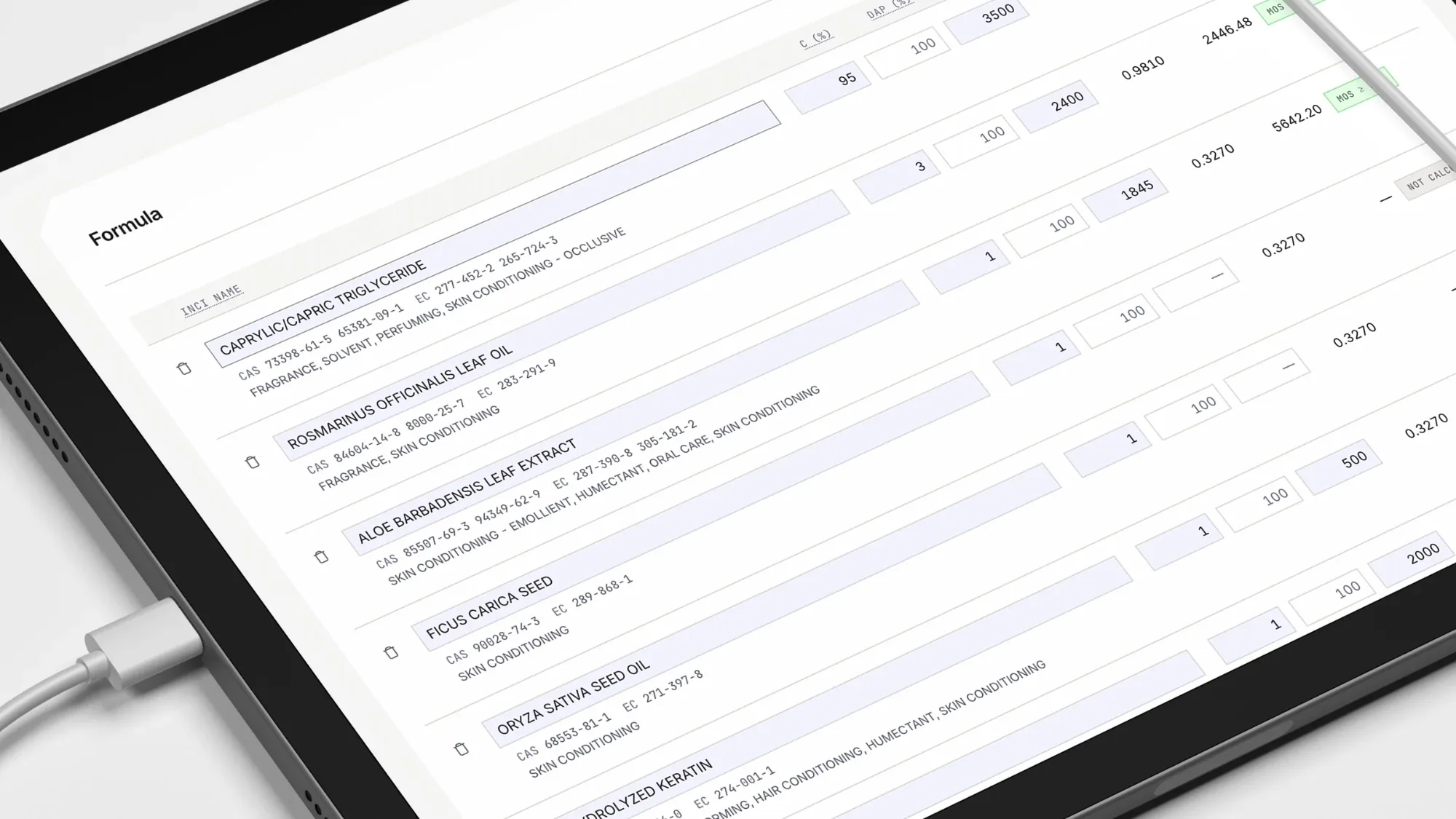
Paste your formula from a spreadsheet or CSV file, and pick a saved Custom Mix if you have one. The platform matches each ingredient to CosIng, takes the NOAEL and its source from Toxicology Data, and calculates SED and MoS line by line. At the end you have a CPSR draft ready for your assessor to sign, with the label checked and the SDS drafted alongside it.
15 min¹
From spreadsheet upload to draft PDF
6 steps
From product identity to report
A4 PDF
Cover, Part A and B, signatures
No product record needed
Checks a pasted INCI list, or writes the list for you in label order.
Enter the percentages; it checks each ingredient against annex limits and required warnings, and exports the result as CSV.
Tells you which of the 80 fragrance allergens² must go on the label.
Search Annexes II to VI for a substance, a limit or a required warning.
Before you finalise the file
Reads your label: are mandatory details missing, are the claims acceptable, is any banned ingredient listed?
Drafts the Safety Data Sheet³, including transport classes, and adds it to the PIF.
¹ Time from uploading the spreadsheet to downloading the draft PDF, for a formula whose toxicology data is already in the library. The assessor’s review and signature are not included.
² Fragrance allergens in Annex III as amended by Regulation (EU) 2023/1545; thresholds 0.001% leave-on, 0.01% rinse-off.
³ Finished cosmetics for the final user are exempt from the REACH safety data sheet duty; carriers, marketplaces and business buyers ask for one.
03/Documents
Upload SDS, TDS, CoA and IFRA certificates to the ingredient, and GMP certificates, flow charts and test reports to the PIF. The platform links each document to every product that uses the ingredient and shows what is missing. Upload each document with its version and expiry date; a new version archives the old one instead of deleting it, and you’re reminded 30 days before a document expires. You always know what is missing, without guessing.
Glycerin
Version 3
In 2 products
Version 2
CurrentArchivedData Distribution Engine
PIF · 1187-1
Orlow & Fenn
Hand Cream No 1
Raw material documents
GlycerinCOA
MissingCurrent · Version 3TocopherolSDS
CurrentParfumIFRA
MissingCitric AcidCOA
CurrentDocuments23 / 4
PIF · 3071-4
Maison Tarnelle
Serum Foundation
Raw material documents
GlycerinCOA
MissingCurrent · Version 3Sodium BenzoateCOA
Ends 14.11.2026PhenoxyethanolSDS
CurrentXanthan GumCOA
CurrentDocuments34 / 4
Also in this step
One record per packaging component, with its PPWR declarations.
Your supplier uploads through a link, or just replies to the email. Every file is checked and filed in the right place. Suppliers can also answer from Raw Portal.
04/Storage
All documents are stored in the cloud, separately for each company. On a paid plan you can download the whole file as a ZIP at any time. The law asks you to keep the file for ten years after the last batch. When a product leaves the market, archive it: it stays readable within your plan’s storage while your account is active. Restoring a product makes it active again: it needs a free active place and uses one new file. Archiving frees an active place; it doesn’t give a new file back.
05/Sharing

Choose how long the link stays open, add a watermark, and decide whether downloads are allowed. Send the link and switch it off whenever you like. MoS and NOAEL values are hidden by default, and every view is recorded in the Audit Log. Unless you allow downloads, the other side can view the file but cannot keep a copy.
06/Tracking
Readiness on five measures for each product, with anything that blocks a signature at the top of the list.
Matches annex changes in the EU, the UK and Türkiye to your formulas and shows how many days you have left.
Shows which products use an ingredient, and at what concentration.
Every change is recorded on a SHA-256 chain with who made it, so any later edit shows. Each PIF keeps its history, which you can export as CSV.
Every score, finding and action is linked to its product. You see today’s tasks, every change and who made it, in one place.
Three ways: paste the ingredient list with percentages, upload a CSV file, or pick a saved Custom Mix. Trade names and percentage ranges are matched to CosIng, and anything that doesn’t match is flagged.
From Toxicology Data: your own records and the platform’s shared records. The source of each value is recorded and printed in the report.
English and Turkish. German, French and Spanish are planned.
In Company Profile, with their diploma, certificate and signature. The report’s signature page is built from that record.
Free plan · no card needed
4,500+ CPSRs drafted and 3,500+ PIF files kept on Unique Alphabet® · counted