
CPSR and PIF software for cosmetics. Every product file, from formula to inspection, in one place.
Free plan · no card
Take a product from formula to signed CPSR. Build the PIF, keep it on file and share it safely, and see which of your formulas each EU, UK or Türkiye annex change affects. All your regulatory work in one place.
Built on CosIng and the consolidated text of the EU and UK cosmetics regulations.


Unique Alphabet® in numbers
7,000+
formula checks against annexes
6,000+
labels checked
4,500+
CPSRs drafted for assessors
3,500+
PIF files kept
Counted
From formula to an inspection-ready file in six steps.
-
Company Profile
Setup
Enter your company, responsible persons and report template once.
-
Product List
Drafting
Check the INCI list, the formula and the label, then get a CPSR draft with a source for every line.
-
PIF Files
Documents
Supplier documents go straight into the PIF, whether you upload them or the supplier sends them from Raw Portal.
-
PIF Files
Storage
Every PIF is stored in the cloud; products you stop selling move to the archive.
-
PIF Files
Sharing
Send a link with an expiry date and a watermark, and switch it off whenever you like.
-
Command Center
Tracking
Follow each product’s readiness and findings; every change is recorded.
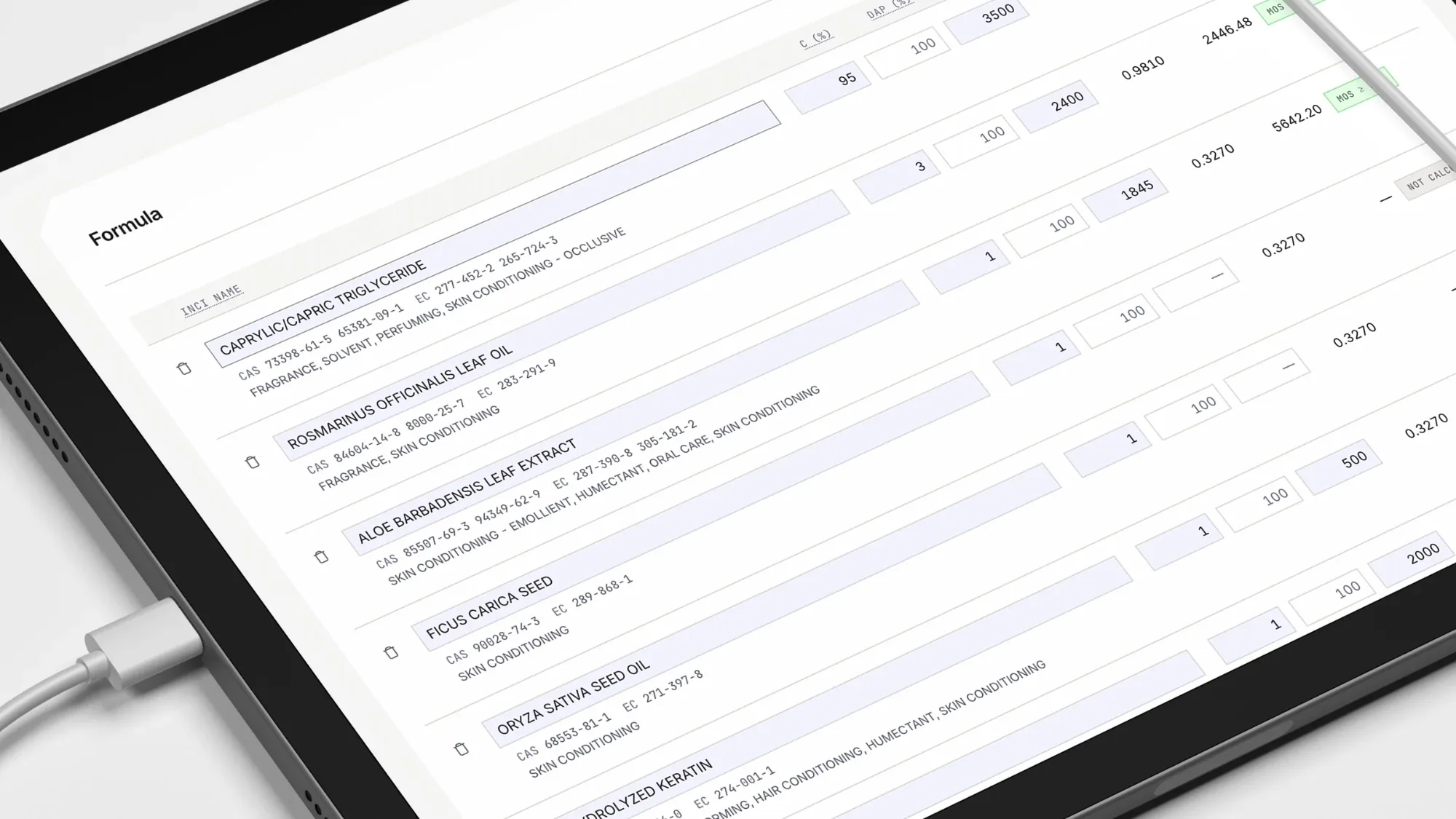
Fast-track. From formula to CPSR draft in 15 minutes¹.
Product List matches each ingredient to CosIng, takes the NOAEL from Toxicology Data, calculates the MoS and puts the draft on your template. Formula Check screens a formula before you start, and Custom Mix breaks supplier blends down into their ingredients.
Check the label before it goes to print.
Link a scan to a product and Label Check compares the label with the file: missing or extra INCI names, allergens above the labelling threshold, and claims without evidence in the PIF.
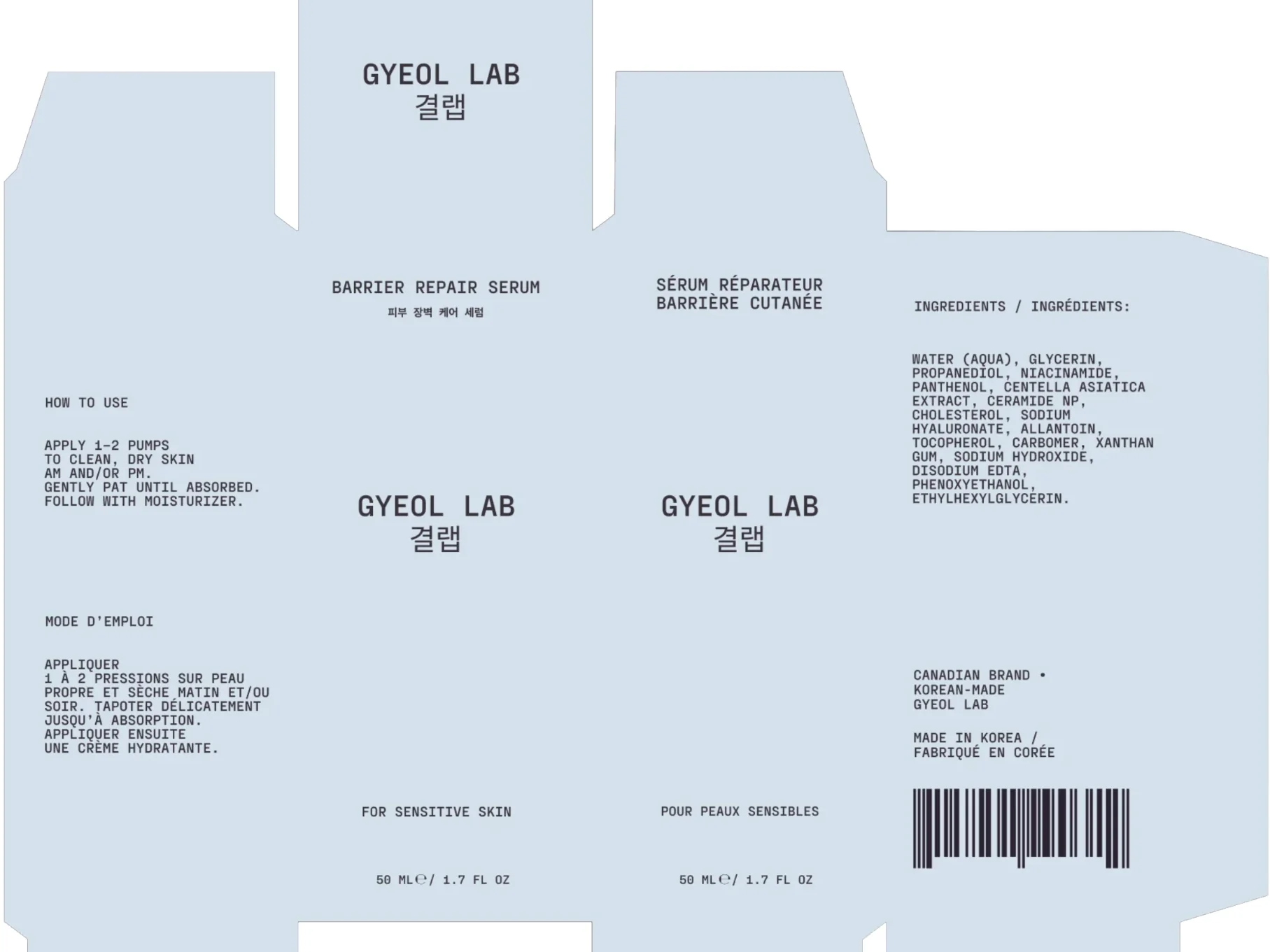 CompliantCompliantMissing: responsible personResponsible person: company name, street, city, EU country
Label Check
AddCriticalOn label
Not on the label
Suggested
Responsible person: company name and address in the EU
The box names a Canadian brand and a Korean maker, but no responsible person established in the EU. Their name and address must be on the packaging (Article 19(1)(a)).
² AI-assisted: Label Check reads labels; the Assistant understands questions. Neither decides compliance.
See every product’s readiness on one screen, with every change on record.
Command Center scores each product on five measures and puts whatever blocks a signature at the top of the list. Audit Log records every change on a SHA-256 chain, and you can export each PIF’s history as CSV.
Assessment Coverage
NOAEL data56/71
CosIng match71/71
A value selected4/4
Toxicology Findings
Margin of safety below threshold (MoS < 100)
Limit couldn’t be interpreted
Allergen ingredient · declaration required
Compliance Axes
Regulatory Changes
1,1-dichloroethylene; vinylidene chloride
Announcements
No announcements
Audit Log
28.10.2026 09:12 UTC
Company account
Raw-material document request created
share_id: 8, item_count: 3
21.10.2026 11:13 UTC
Company account
Signed in
method: password
20.10.2026 14:58 UTC
Company account
Raw-material document request created
share_id: 7, item_count: 1
20.10.2026 14:56 UTC
Company account
Ingredient record updated
kind: supplier, changed_fields: name, email +2,…
20.10.2026 14:56 UTC
Company account
Ingredient record created
kind: supplier, changed_fields: name, email +2,…
20.10.2026 14:55 UTC
Company account
Raw-material document request created
share_id: 6, expires_at: 2026-11-19T14:55:37.940…
20.10.2026 14:54 UTC
Company account
Raw-material document request created
share_id: 5, item_count: 1
20.10.2026 14:48 UTC
Company account
Signed in
method: password
19.10.2026 20:52 UTC
Platform operator
Support request status changed
from: open, to: closed, by: platform
19.10.2026 20:51 UTC
Platform operator
Support request status changed
from: closed, to: open, by: platform
Ask what’s blocking a signature.
The Assistant answers questions about your own products and files, on every screen. The answer comes from your records, with a link to the screen. Your formula data stays with you unless you allow it.
You: how many products are ready to sign?
Assistant:
1 of your 7 products has a signed CPSR and no open regulatory alarm.
1 of these relies on a report you uploaded.
1 product has no assessor assigned.
5 products have a report waiting for signature.
- No assessor1
- Awaiting signature5
- Defensible1
Source: Command Center › Defensible products
Your formula data was not sent to AI.
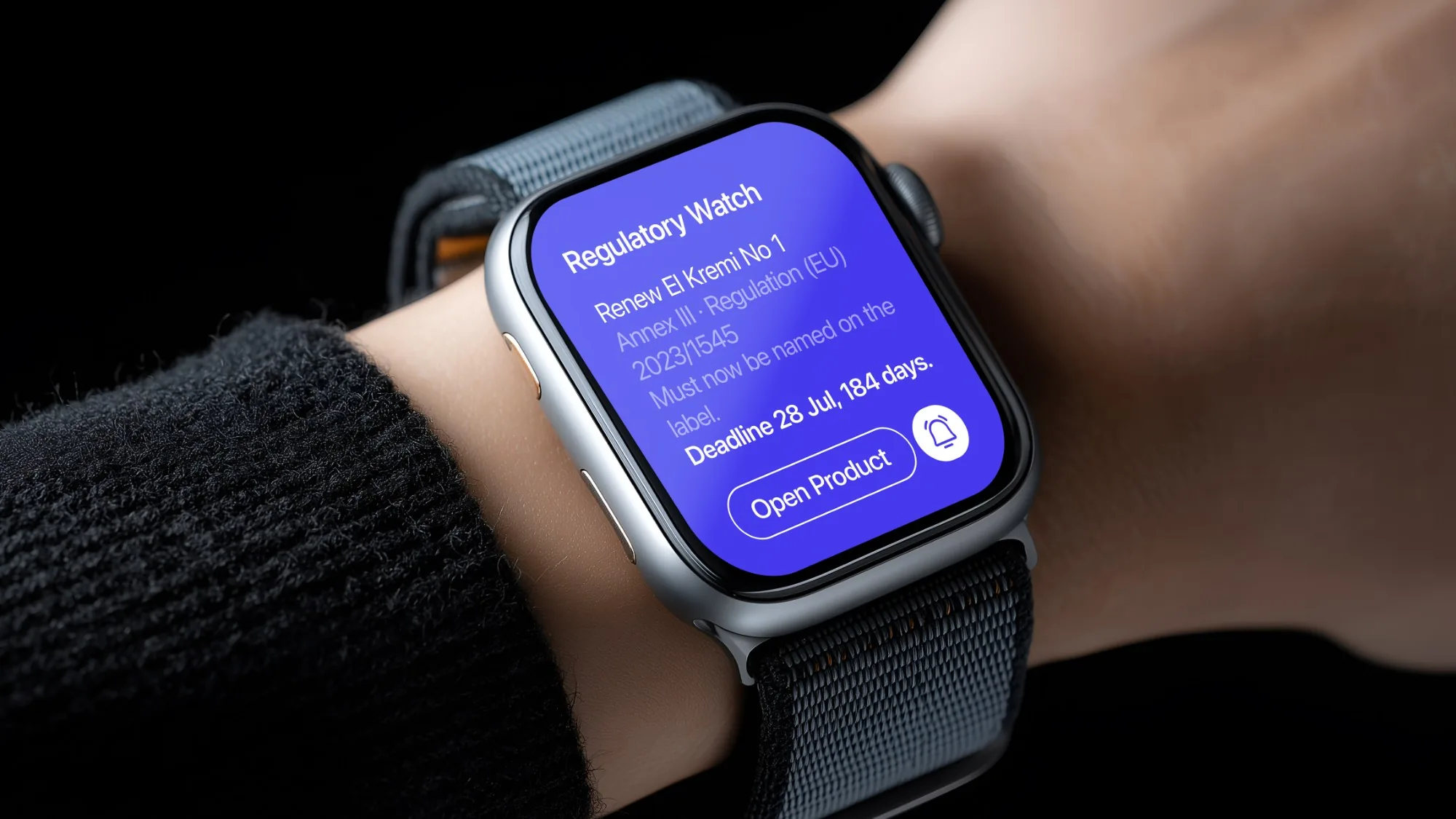
When the annexes change, Regulatory Watch™ tells you which product is affected.
Regulatory Watch reads EU, UK and Türkiye sources: the consolidated annexes and the Commission’s drafts. It matches each change to your formulas and shows the withdrawal date and the days left. Urgent findings are emailed to you.
Keep control of your files: export them all, share what you choose.
PIF Files keeps each company’s documents separate; the server enforces it row by row. Share links expire, carry a watermark and can be revoked at any time; MoS and NOAEL are hidden by default. On a paid plan, the whole file exports as a ZIP.

Custody

Sharing
Prefer us to prepare the file?
We offer two services. We prepare your product file for the EU, the UK or Türkiye and hand it over complete, or we become your Responsible Person in Türkiye, with our name on the label. You get one quote for the whole job.
Brands, assessors and contract manufacturers work on the same file.
-
Brand
You own the file and can keep working with your consultant.
How it works ↗ -
Assessor, consultant
Reuse your own library across all your clients’ files.
Pricing ↗ -
Raw material supplier
Answer every customer’s document requests from one library, free.
Raw Portal ↗ -
Contract manufacturer
Follow every brand you make for on one screen; send each formula once.
Maker Portal ↗
Before you start
Does the AI see my formulas?
Not unless you allow it, product by product, field by field. The Assistant sends your data to the model as placeholders, and Label Check sends only the label you check. One setting turns all AI off.
What do I need to start?
A formula with percentages and your company details. Everything else is filled in as you go.
Where is my data kept?
In İstanbul, Türkiye, kept separate per company. Hosting, encryption and sub-processors: Security and data.
Do I need your assessor?
No. Record yours once in Company Profile; their signature prints in Part B. Without one, the signature is a service in Türkiye, quoted per file.
Does it cover more than the EU?
Yes. The same file is checked against the rules of the EU, the UK and Türkiye.
What does “15 minutes” cover?
For a formula whose toxicology data is already in the library: the time from uploading the spreadsheet to getting the draft PDF. Review and signature are not included.
Start with a formula you already have.
Free plan · no card