
Public data, as it is
Regulations and shared toxicology sources are public, so the model uses them as they are.
On every plan, Free included.
Finding what’s missing, checking a limit, working out what to do next: until now that meant clicking through screens, or opening a ticket and waiting for a reply. Now you ask, and the answer is there at once, from your own records, with a link to the screen. It already does part of the work for you, from drafting an SDS to assigning an assessor, and it will take on more with each release. The point is simple: the software keeps up with you, not the other way round.
01/What you can ask
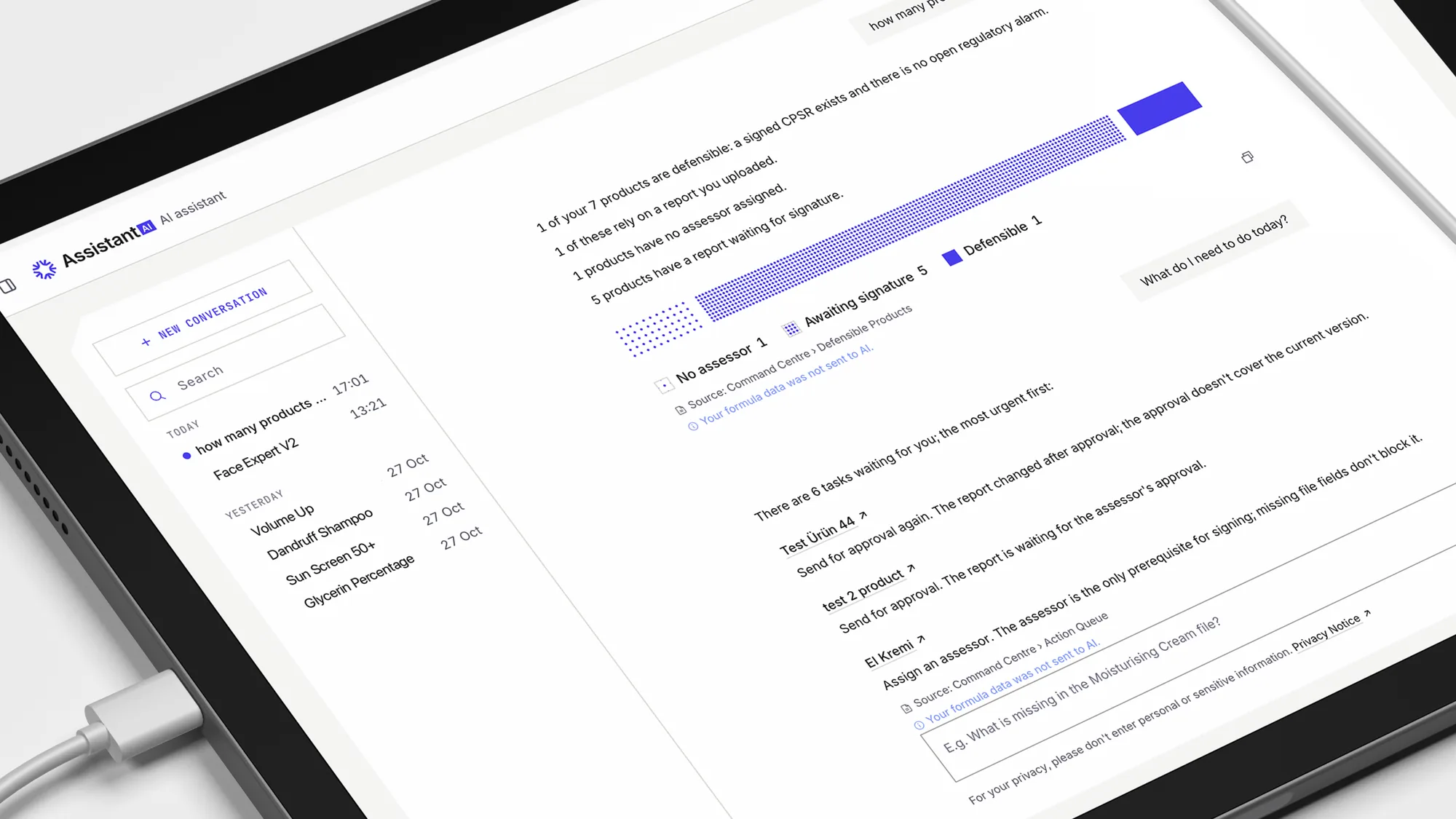
The Assistant answers questions about the products, files and findings in your account, and suggests the next step. When a question falls outside your records, it says it doesn’t know and offers a support request.
02/Where the answer comes from
The AI model only works out what you are asking. Every number, list, date and finding in the answer comes from the platform’s own records and checks, shown as a result card with a link to the screen it came from. The Assistant doesn’t interpret the regulation or decide compliance: it shows what your records say, and where.
03/Your data
Each layer decides what the model may see. By default it sees only what is already public, plus placeholders for everything that is yours.
Regulations and shared toxicology sources are public, so the model uses them as they are.
Your own data reaches the model only as placeholders. It sees “[PRODUCT_1] exceeds the limit for this substance”, never your formula values; the platform puts the real values back into the answer you read.
If a better answer needs a value, the Assistant stops and asks: which fields of which product, and why. Allow it for this question or this conversation, or say no and get an answer that tells you what it couldn’t know.
Try it
You
Does the Moisturising Cream formula exceed any limit?
Sent to the model
Does the [PRODUCT_1] formula exceed any limit?
Assistant
To compare with the limit, the Assistant needs one field: salicylic acid, concentration. Only this field, only this product.
Assistant
A permission covers only the product and fields it names, ends with the conversation at the latest, is written to the Audit Log and is listed in Settings.
Your Owner or an Administrator sets the policy for the company: off, ask, or ask an admin.
04/Before it writes
When you ask the Assistant to do something, such as creating an SDS or assigning an assessor, it shows a card that says exactly what will be written. Nothing happens until you confirm. It works with your own permissions: a product you can’t open, it can’t open either.
A Safety Data Sheet will be drafted from the formula and saved in the product’s file.
05/What it doesn’t do
It never says a product is safe, compliant or ready to sell. It shows the records and checks, and where they come from; the decision belongs to your safety assessor and your Responsible Person.
It can tell you what stands in the way of a signature. Signing is the assessor’s.
It uses your permissions and no others.
When the answer isn’t in your records, it says it doesn’t know and points you to the Help Centre or a support request.
06/Your controls
Control | How it works |
|---|---|
One switch | The owner or an admin can turn AI off for Label Check and the Assistant in the company settings; while it is off, no text goes to any provider and the rule-based checks still run. |
Policy | Off, ask, or ask an admin, set by the Owner or an Administrator. |
Conversations | Visible only to the person who had them, not to the company Owner or an Administrator. |
Deletion | Deleted 90 days after the last message. You can delete a conversation at any time, and all of them go with the account. |
Provider | Anthropic, United States, the same provider as Label Check. It receives your question and the last six turns, with your data as placeholders. |
On screen | “For your privacy, please don’t enter personal or sensitive information.” |
Not unless you allow it, product by product, field by field. Your data reaches the model as placeholders, and a value goes only after you allow it for that question or that conversation.
No. It shows what your records and checks say, and where it comes from. Whether a product is safe and compliant is for your safety assessor and your Responsible Person to decide.
Only you. The company Owner and Administrators can’t see them. A conversation is deleted 90 days after its last message, and you can delete it sooner.
Yes. The owner or an admin can turn AI off for Label Check and the Assistant in the company settings; while it is off, no text goes to any provider and the rule-based checks still run.
Every plan, Free included.
It says so, suggests questions it can answer about your account, and offers the Help Centre or a support request.
Free plan · no card needed