
Company Profile
Add responsible persons by market, your production sites and the assessors who sign, with their diplomas and signatures. Each report prints the right person automatically.
Unique Alphabet® turns a formula into a CPSR draft, checks the label and drafts the SDS. It collects supplier documents and packaging declarations, keeps and shares the PIF, and matches every annex change to your formulas.
Built on CosIng: more than 35,000 ingredients¹ with their numbers, functions, annex status and SCCS opinions. Formulas and labels are checked against EU, UK and Türkiye rules².
Ask what to do next, what’s blocking a signature or which products a Regulatory Watch™ finding affects. The answer is built from your own files and checks, with a link to the screen. The model sees your data as placeholders; values go only with your permission, and anything that writes asks you first.
01/Set up
Add responsible persons by market, your production sites and the assessors who sign, with their diplomas and signatures. Each report prints the right person automatically.
Choose the layout and the report language. Start from the standard template and go back to it with one click. Fields fill in from the product record.
02/Prepare

From formula to CPSR draft in 15 minutes³. Each ingredient is matched to CosIng, and SED and MoS are calculated line by line. Your assessor reviews and signs.
NOAEL values come from your own library, with the source recorded for each entry. The library grows with every file and is reused in the next one.
Save your own blends under your own names. Add one to a formula and it opens into its ingredients, with its documents attached.
Tools that need no product record.
Paste a list without percentages and each ingredient is marked permitted, restricted or prohibited. Or have the list built from the formula, in label order.
Each ingredient is compared with its annex limits, along with the mandatory warnings it triggers. Download the result as CSV.
Enter the fragrance composition, and the module finds which of the 81 allergens⁴ go over the labelling threshold. Link a fragrance or other mix to its line in the formula, and its allergens are carried into the ingredient list, the threshold check and the margin of safety.
Search Annexes II to VI by ingredient, number or product type. Every limit and its mandatory wording is shown exactly as written.
The formula is checked against the annexes and their warnings; an AI review reads the claims. Link a scan to a product and Label Check compares the label with the file: missing or extra INCI names, allergens above the labelling threshold, and claims without evidence in the PIF.
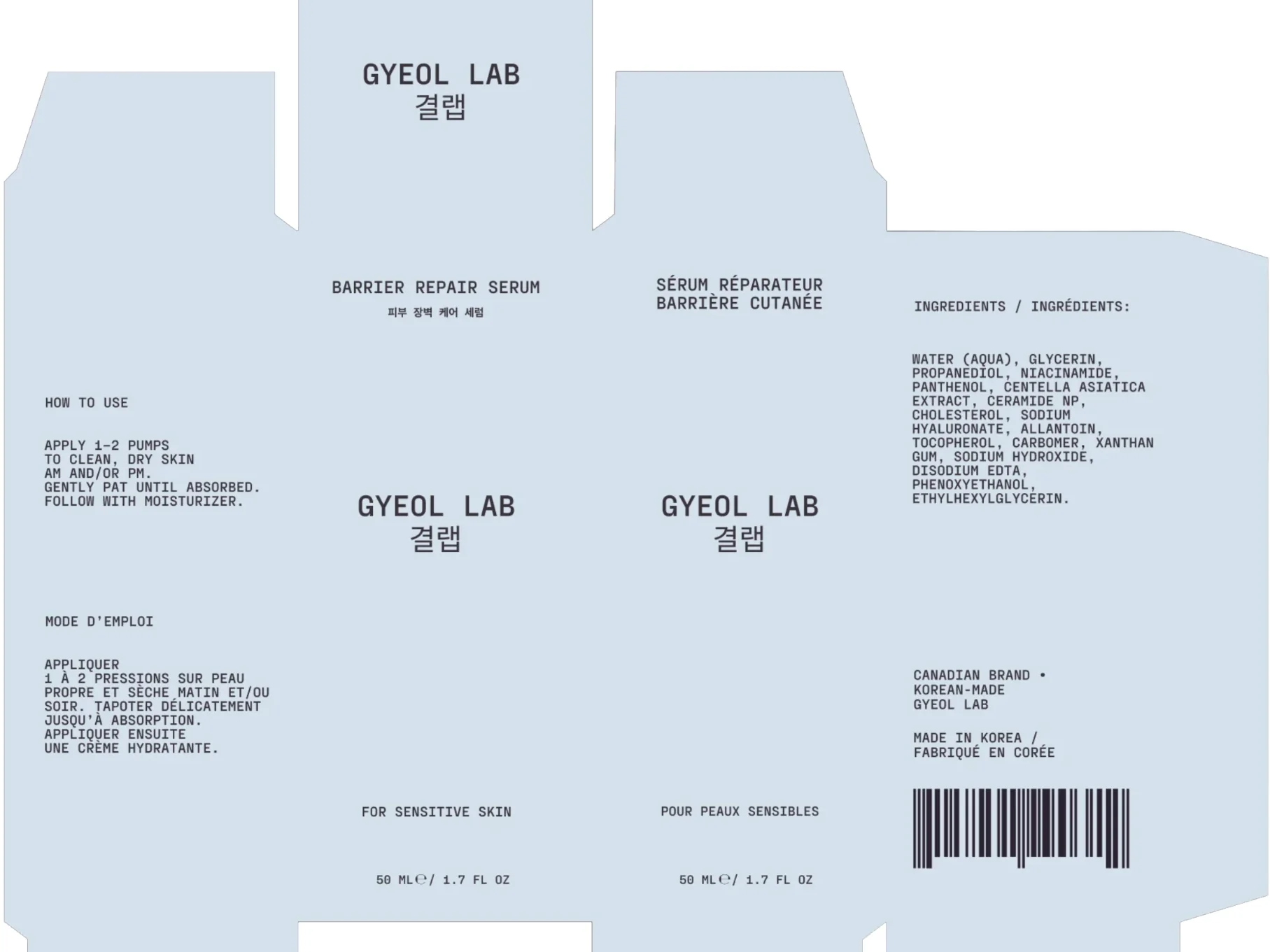 CompliantCompliantMissing: responsible personResponsible person: company name, street, city, EU country
Label Check
AddCriticalOn label
Not on the label
Suggested
Responsible person: company name and address in the EU
The box names a Canadian brand and a Korean maker, but no responsible person established in the EU. Their name and address must be on the packaging (Article 19(1)(a)).
A 16-section Safety Data Sheet⁶ for finished products, built from the formula: the CLP classification is calculated, transport classes included. Edit any section in place; the PDF goes into the PIF. The classification comes from Hazard Classes, built on CLP Annex VI and ECHA C&L; an ingredient missing from it is flagged, never assumed safe.
SDS · Section 2
DangerFlam. Liq. 2
H225
From the formulaAlcohol Denat. 78%
Section 14UN 1266 · Class 3 · PG II
03/Collect
Upload a document yourself or send the supplier a link. Each one goes in the right place in the file, and missing ones show up as empty.
Record each supplier once, then upload their SDS, TDS, CoA, allergen statement and IFRA certificate with a version and an expiry date. A new version archives the old one instead of deleting it. The Ingredient List shows whether each document is missing, current or expired, and you get a reminder 30 days before it expires.
Pick the ingredients and the documents you need. The supplier uploads through a link under your logo, or simply replies to the email with the files attached. Each file is checked, then filed under its ingredient; anything unclear is held for review. Suppliers on Raw Portal answer every customer from one library.
One record per packaging component, with its declarations²: heavy metals, PFAS, recyclability grade, recycled content and EPR number.
Every part of the file, from the formula and MoS to the test reports. The safety report section takes either a draft made here or a CPSR you upload.
04 · 05/Keep and share
It stays in your account, kept separate per company⁷, and on a paid plan exports as a ZIP whenever you want. Share it by link: set how long it lasts and the watermark, allow or block downloads, and revoke it at any time. MoS and NOAEL are hidden by default⁸. Every view is recorded in the Audit Log.
06/Monitor
Regulatory Watch reads every change to the EU, UK and Türkiye annexes and the Commission’s drafts, and matches it to your formulas by CAS, EC and INCI. Each finding shows the old and new limit, the deadline and the days left; urgent ones are emailed to you. A finding closes itself once the formula complies, and reopens if the breach comes back.
Regulatory Watch™(EU) 2026/909 · Annex VI/28
OpenUrgentSuncharge Fluid SPF 50
Di-n-hexyl phthalate in DHHB
602
days left to make available on the market01/07/2028
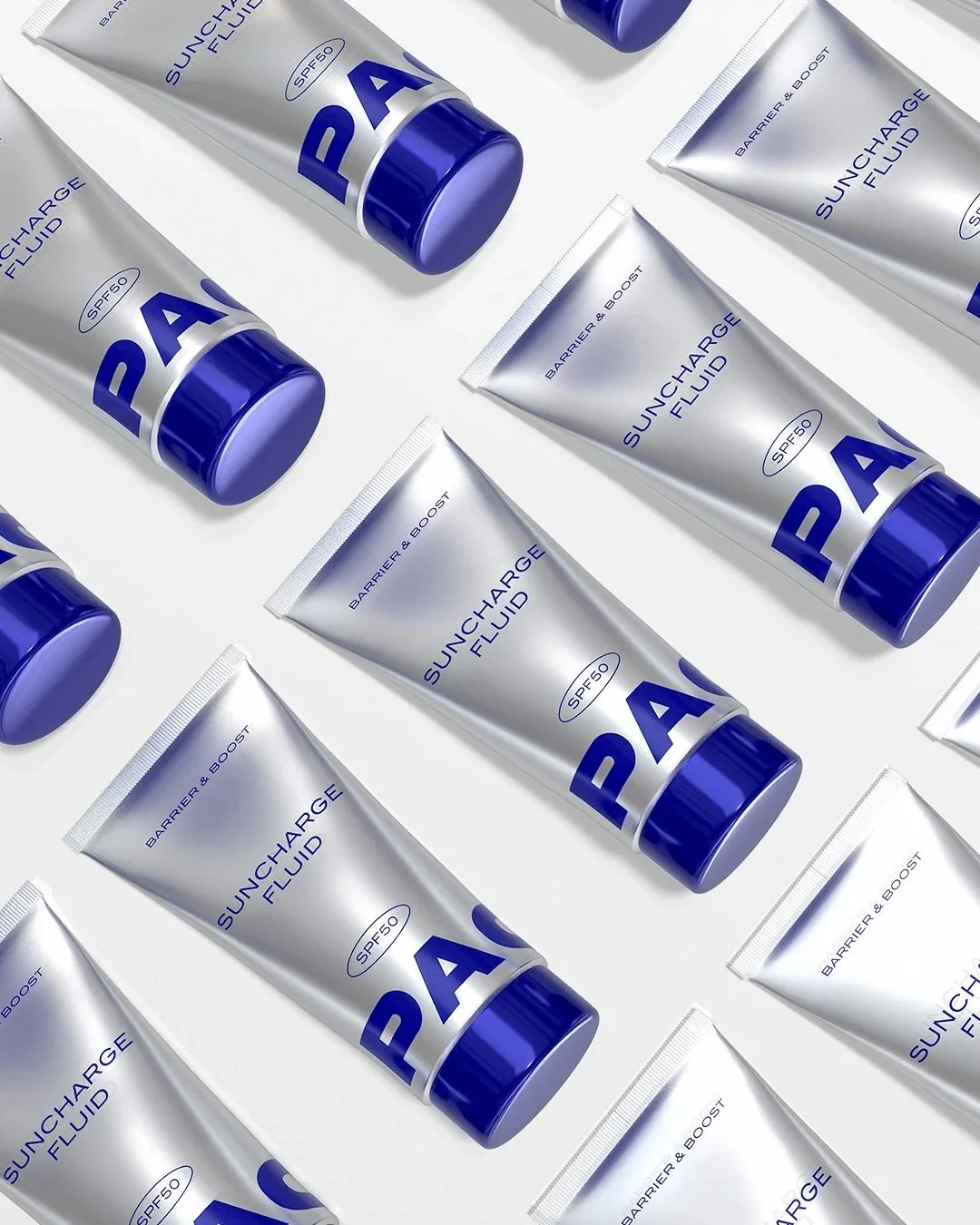 PIF · 24382-1Suncharge Fluid SPF 50
Search an ingredient to see every formula that uses it, and at what concentration. Then open each product and correct it there.
Readiness for each product on five measures. The to-do list starts with MoS below 100, banned substances and exceeded limits.
Every change is written to a SHA-256 chain, and every AI-assisted output with its model, prompt version and approver. A later edit breaks the chain, so it shows.
07/Account
Every raw material’s documents in one list, with status, version and validity at a glance. Keep a supplier directory for each company. Pick what’s missing across all your formulas, send one request, and the supplier uploads straight into the right places. Need a new supplier? Search the sector-wide catalogue.
When a contract manufacturer makes the product, ask them for the formula and documents from inside the product. They answer in Maker Portal, free for manufacturers, where they see every brand they make for on one screen.
Run more than one company from a single account. Switch between them from the top bar, or see them all together. When a Regulatory Watch finding hits a client’s product, forward it to that client by email; who sent what, and when, is recorded.
When a company changes hands, say an agency steps back or a brand takes the work in-house, transfer its whole profile to another account: products, suppliers, library entries and brand. The receiving account sees exactly what will move before it accepts.
Give your client one link to their own portfolio: product list, readiness, CPSR status and the number of open Regulatory Watch findings. No login, no downloads, no MoS or NOAEL. One link per company, revocable at any time, on every plan.
Two services: we prepare your product file for the EU, the UK or Türkiye, or act as your Responsible Person in Türkiye. You get one quote for the whole job⁹.
INCI Breakdown reads a list without percentages, or writes one from the formula in label order. Formula Check adds the percentages and tests them against the annex limits. Neither needs a product record.
It prepares the draft. A qualified safety assessor reviews it, completes Part B and signs: your own assessor, or ours as a service in Türkiye, quoted per file.
Finished cosmetics for the final user are exempt from the REACH safety data sheet duty. Carriers, marketplaces and business buyers ask for one anyway; SDS Authoring drafts it.
Free plan · no card